 SpriteSagaSpot
SpriteSagaSpot
SpriteSagaSpot
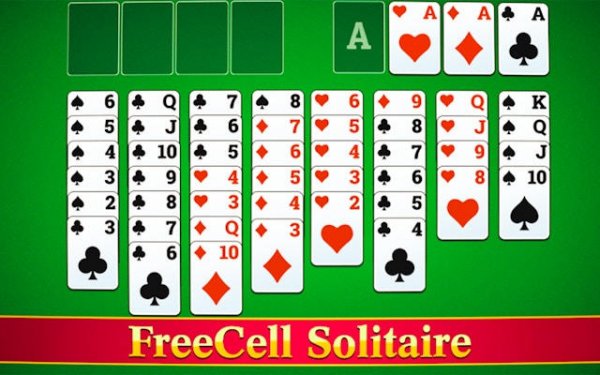
FreeCell Solitaire Classic is a well-crafted version of the classic card game. The all-cards-visible design encourages strategic thinking. Unlimited undo and smart hints make it accessible for beginners while still challenging for experts. The game runs smoothly with no ads interrupting play. It offers high replayability through hundreds of deals and detailed statistics. A solid choice for daily brain training.
FreeCell Solitaire Classic is a digital adaptation of the popular logic-based solitaire variant. Unlike traditional solitaire, all 52 cards are dealt face-up across eight tableau columns, and the goal is to move every card to four foundation piles sorted by suit from Ace to King. Four free cells provide temporary storage, allowing players to rearrange cards strategically. This design reduces reliance on luck and emphasizes careful planning, making nearly every deal winnable. The game offers a satisfying challenge for both new and experienced players, providing a mental workout that improves concentration and problem-solving skills.
To play, start by examining the tableau columns. Look for cards that can be moved to the foundation piles, starting with Aces. Use the free cells to temporarily hold cards that block moves. Build sequences in the tableau by stacking cards in descending order and alternating colors. For example, place a black 6 on a red 7. You can move a sequence of cards if they are in descending order and alternating colors. The goal is to free up cards to build foundation piles. Use the smart hint feature when stuck, and unlimited undo to experiment without penalty. The game saves automatically, so you can resume later.
Features include unlimited undo to reverse any move, smart hints that suggest optimal plays, and intuitive drag-and-drop or tap controls. The game has optimized performance for smooth play, auto-save to preserve progress, detailed statistics to track wins and streaks, and stunning visuals with clean card designs. As an online game, it offers the convenience of playing anywhere with an internet connection.
To succeed in FreeCell Solitaire, focus on freeing up Aces and twos early to start foundation piles. Use free cells wisely—only store cards that are blocking important moves. Avoid filling all four free cells unless necessary, as this limits your options. Practice looking several moves ahead to plan sequences. If you get stuck, use the hint feature for guidance, and don't hesitate to undo moves to explore alternative strategies. Regular play will sharpen your logic and planning skills.
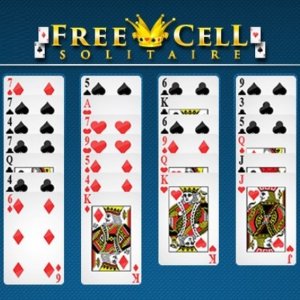
Clean design and smooth gameplay. Great for short breaks.

Clean design and smooth gameplay. Great for short breaks and improving logical thinking.

Clean design and smooth gameplay. Great for short breaks.

Clean design and smooth gameplay. Great for short breaks and puzzle lovers.

Clean design and smooth gameplay. Great for short breaks or longer sessions.
Tense and rewarding. The timer adds real pressure. Perfect for quick, focused gameplay.

Clean design and smooth gameplay. Great for short breaks or longer sessions.

Relaxing card puzzle with farm building. Simple to learn and rewarding to play.

A clever twist on solitaire that tests logic and planning. Perfect for puzzle lovers.