 SpriteSagaSpot
SpriteSagaSpot
SpriteSagaSpot

FreeCell Solitaire 2017 Edition offers a pure logic-based card puzzle. Because all cards are visible, every game is a test of planning rather than chance. The four free cells add strategic depth, allowing you to temporarily store cards and rearrange columns. The interface is simple and responsive on any device. Replay value is high, as each deal presents a unique challenge. It is a satisfying choice for solitaire fans who enjoy thinking ahead.
FreeCell Solitaire 2017 Edition is a classic solitaire variant that challenges your strategic thinking. Unlike traditional solitaire, all 52 cards are dealt face up into eight piles, making every card visible from the start. This transparency allows you to plan your moves carefully. The core objective is to move all cards to the four foundation piles, building ascending sequences from ace to king. Developed by Kizi as an HTML5 game, it works smoothly on PCs, phones, and tablets. Its family-friendly design is suitable for players ages 3 and up, offering a relaxing yet engaging puzzle experience.
To play, examine the eight columns of face-up cards. You can move the top card of any column to another column if it builds a descending sequence with alternating colors (red on black or black on red). For example, place a 7 on an 8. Four free cells in the upper left temporarily hold any single card, giving you flexibility. Move cards to the foundation piles in the upper right by clicking on them when they are the next in sequence, starting with aces. The game ends when all cards are in the foundations. Use your mouse or touchscreen to drag and drop cards.
All cards are visible from the start, enabling strategic planning. Four free cells provide temporary storage for any single card. Foundations require ascending sequences from ace to king. Smooth drag-and-drop controls work on both mouse and touchscreen. Full-screen mode offers an immersive experience. Cross-device compatibility ensures play on PC, phone, or tablet. The game is family-friendly and suitable for ages 3 and up.
Plan your moves carefully by scanning all columns before acting. Use free cells wisely—they can help you temporarily store a card to unlock a key sequence. Avoid filling all free cells, as that limits your options. Try to move cards to foundations as soon as possible to free up space. Practice regularly to improve your ability to spot efficient sequences. Patience and strategic thinking are key to winning.
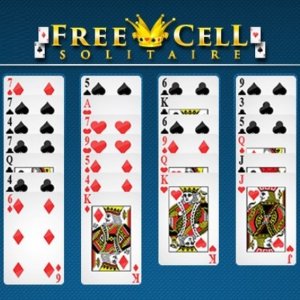
Clean design and smooth gameplay. Great for short breaks.

Clean design and smooth gameplay. Great for short breaks and improving logical thinking.

Clean design and smooth gameplay. Great for short breaks.

Clean design and smooth gameplay. Great for short breaks and puzzle lovers.

Clean design and smooth gameplay. Great for short breaks or longer sessions.
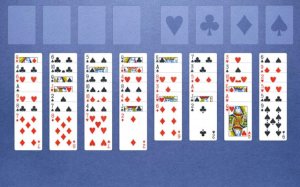
Tense and rewarding. The timer adds real pressure. Perfect for quick, focused gameplay.
Clean design and smooth gameplay. Great for short breaks or longer sessions.

Relaxing card puzzle with farm building. Simple to learn and rewarding to play.
A clever twist on solitaire that tests logic and planning. Perfect for puzzle lovers.