

What players say
Dual Cell Solitaire Puzzle offers a classic card puzzle experience with a gentle time challenge. The two free cells add strategic depth, allowing players to temporarily store cards. The game works smoothly on all devices, including mobile phones. It is free, requires no downloads, and is suitable for all ages. The 30-minute timer keeps games focused without being stressful. Overall, it is a well-designed puzzle that provides hours of enjoyable gameplay.
About this game
Game Introduction
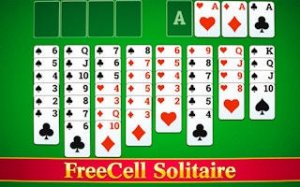
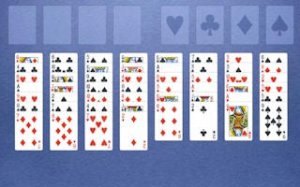
Dual Cell Solitaire Puzzle is a classic card puzzle game that challenges your planning and patience. The game uses a standard 52-card deck, which is dealt into eight columns on the table. The first four columns contain seven cards each, and the remaining four columns have six cards each. Your main objective is to move every card to the home cells located in the upper right corner. Each home cell must start with an ace, and then cards are placed in ascending order by suit. You have 30 minutes to complete the puzzle, which adds a gentle time element. Two free cells at the top of the field let you temporarily store any card, giving you more flexibility. This game works on all modern browsers, including PCs, mobile phones, and tablets. Full screen support is available for an immersive experience. The game is easy to learn but offers a satisfying challenge for players of all ages.
How to Play
To start, look at the cards on the table. Only the outermost card of each column can be moved. You can click and drag a card with your mouse to move it to a home cell, a free cell, or another column. Cards can be placed in columns to form chains of decreasing rank with alternating suit colors. For example, a red seven can be placed on a black eight. Use the two free cells to hold cards temporarily. This helps you access cards that are deeper in the columns. The game ends when all cards are in the home cells or when the timer runs out. The rules are simple to learn but offer a fun challenge.
Game Features
Classic solitaire gameplay with a standard deck. Two free cells for temporary card storage. A 30-minute timer adds a gentle challenge. Full screen support for an immersive view. Works on all modern browsers and devices, including PCs, mobile phones, and tablets. No downloads or installations are needed. The game is free to play and offers a relaxing yet engaging experience.
Tips for Success
Plan your moves carefully to avoid getting stuck. Use the free cells strategically to free up buried cards. Focus on building sequences in columns to expose more cards. Prioritize moving aces and low cards to the home cells early. Practice regularly to improve your speed and decision-making. Stay calm and enjoy the puzzle at your own pace.








Player comments
Sign in to comment
You must be logged in before posting a review or rating.
No account? Create one
No comments yet. Be the first to comment!