
What players say
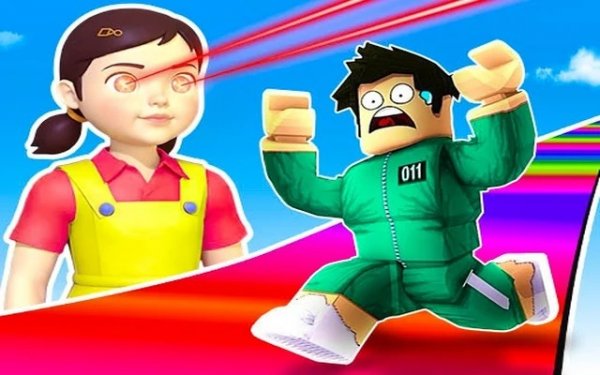
Obstacle Sprint 3D delivers exactly what its name promises: fast, obstacle-filled runs through well-designed 3D courses. The two-player mode is the standout feature, turning each stage into a friendly rivalry where items and route choices matter. Controls feel responsive on both desktop and mobile, and the difficulty curve keeps players engaged without becoming frustrating. The visual style is bright and inviting, making it easy to recommend for family gaming sessions. While the core loop is simple, the variety in stage hazards and the satisfaction of mastering a tricky section provide lasting appeal.
About this game
Course Design & Hazards
Each stage in Obstacle Sprint 3D presents a distinct set of challenges that require quick thinking and precise movement. Players encounter sliding walls, shifting platforms, and environmental effects like falling snow or rising water that alter the path. The courses are designed with multiple routes, encouraging players to experiment with different approaches. Some paths offer shortcuts that demand perfect timing, while others provide safer but slower options. Learning the rhythm of each hazard is key to maintaining speed and avoiding setbacks.
Competitive Modes
The game offers two distinct ways to play. In solo mode, players focus on beating their own best times across each course, with a clear emphasis on personal improvement and mastery. Two-player mode introduces head-to-head racing on the same screen, where competitors can use collected items to gain an edge. This mode works well for friendly matches at home, as both players share the same visual space and can see each other's progress in real time. The split-second decisions made during these races create memorable moments.
Power-Ups & Movement Tools
Scattered throughout each stage are special items that temporarily alter gameplay. Speed boosts provide a short burst of acceleration, useful for clearing long gaps or overtaking an opponent. Freeze abilities slow down nearby hazards or rival players, creating windows of opportunity. The double jump is a permanent ability that allows characters to reach elevated platforms and avoid ground-level traps. Knowing when to use each tool is as important as knowing the course layout, adding a layer of strategy to every run.
Visual Style & Accessibility
The game uses bright, colorful 3D graphics that make each course easy to read at a glance. Character models and environments are designed with a friendly, cartoon-like aesthetic that appeals to a wide age range. Controls are straightforward: keyboard inputs on desktop and touch controls on mobile devices. The interface clearly displays remaining distance and collected items, so players always know their status. This clean design helps new players jump in without confusion while still offering depth for those who want to refine their technique.
Progression & Difficulty Curve
Early stages introduce basic mechanics like jumping over stationary blocks and sliding under low barriers. As players advance, courses become more complex, combining multiple hazard types and requiring tighter timing. Later stages might feature moving platforms that shift mid-jump or sections where the path changes after each attempt. This gradual increase in difficulty ensures that players build skills naturally. Completing a stage rewards a sense of accomplishment, and the option to replay any course encourages continuous improvement.







Player comments
Sign in to comment
You must be logged in before posting a review or rating.
No account? Create one
No comments yet. Be the first to comment!